How-to Track Your Website Performance & Key Analytics
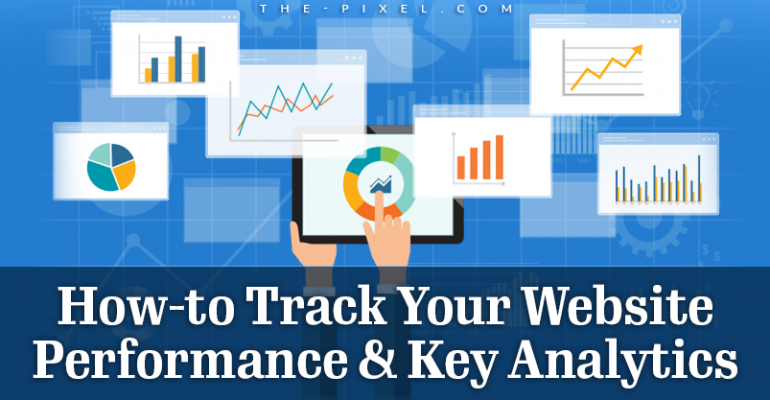
How-to Track Your Website Performance & Key Analytics
Understanding your visitors should not feel complicated. The right data helps you make better decisions, attract more qualified traffic, and turn that traffic into real leads and sales.
Today, website analytics is not just about counting visits. It is about understanding behavior, identifying friction, and improving how your website performs from first click to conversion.
Website Analytics Tools
There are a variety of website tracking tools available, both free and paid. Even if you use a premium platform, installing Google Analytics 4 is still essential.
GA4 provides a reliable baseline of performance data and gives you direct access to how users interact with your website. Many advanced tools rely on GA4 data behind the scenes, so having direct access to your own data gives you more control and clarity.
Beyond GA4, many tools focus on specific areas like SEO, user behavior, or lead tracking. The right mix depends on what you are trying to improve, whether that is visibility, engagement, or conversions.
Common B2B website tracking platforms include:
- Hotjar helps visualize how users interact with your site through heatmaps and session recordings
- SEMrush provides keyword tracking, competitor insights, and search visibility data
- Moz offers tools for improving rankings and domain authority
- Lead Forensics identifies companies visiting your website
- Leadfeeder connects website visits to actual business leads
- Screaming Frog audits technical SEO issues across your site
- Parse.ly focuses on content performance and engagement
- Kissmetrics tracks user behavior across the customer journey
This is not a comprehensive list, but it highlights tools with different capabilities. Your goals will determine which tools make the most sense.
Google Analytics 4 (GA4): What’s Changed
Analytics has evolved significantly, and GA4 represents a shift in how website performance is measured.
Instead of focusing only on sessions and pageviews, GA4 tracks user interactions as events. This provides a more accurate view of how people actually use your website and where they encounter friction.
GA4 is designed to help businesses understand the full user journey, not just isolated visits. It connects behavior across devices, tracks deeper engagement, and uses AI to surface insights that would be difficult to identify manually.
Key capabilities include:
- Event tracking such as clicks, scrolls, form submissions, and downloads
- User journey analysis to identify drop-off points and opportunities
- Retention reporting to understand repeat visits and engagement over time
- Cross-device tracking for a more complete user picture
- Predictive insights powered by machine learning
When set up correctly, GA4 becomes the foundation for measuring performance and improving both UX and conversion rates.
Key Website Analytics to Track
If you have ever logged into an analytics tool and felt overwhelmed, you are not alone. There is a large amount of data available, and not all of it is useful.
The goal is not to track everything. The goal is to focus on the metrics that directly impact your website’s ability to attract, engage, and convert users.
Below are the most important analytics to focus on and how they help guide decisions.
Traffic Volume
Traffic volume gives you a high-level understanding of how many users are visiting your website.
Looking at traffic over time, especially year-over-year comparisons, helps identify trends, growth patterns, and seasonal changes. This provides context for your marketing performance and helps you understand what is driving increases or declines.
Key things to review include:
- Total users and sessions
- Traffic trends over time
- Seasonal spikes or drops
New vs Returning Visitors
Understanding the balance between new and returning users helps you evaluate both reach and engagement.
New visitors indicate how well your website is attracting fresh traffic. Returning visitors suggest interest, trust, and continued engagement.
For B2B websites, multiple visits are often part of the buying process. Users may return several times before taking action.
Important insights include:
- Percentage of new vs returning users
- Frequency of repeat visits
- Behavior differences between new and returning audiences
Traffic by Source and Channel
Not all traffic is equally valuable. Knowing where your visitors come from helps you understand which marketing efforts are working.
Analyzing traffic sources allows you to allocate time and budget more effectively and focus on the channels that drive results.
Common traffic sources include:
- Organic search
- Paid search and ads
- Direct traffic
- Referral traffic
- Social media
When paired with conversion tracking, this data shows which channels generate the highest quality leads.
Engagement Metrics
Engagement metrics help you understand how users interact with your website after they arrive.
High engagement typically means your content is relevant and your user experience is working. Low engagement may indicate confusion, poor messaging, or performance issues.
Important engagement signals include:
- Average engagement time
- Pages viewed per visit
- Scroll depth
- Interaction events such as clicks
These metrics help identify both high-performing content and areas that need improvement.
Top Landing Pages
Landing pages are often the first experience users have with your website.
Analyzing which pages users enter through provides insight into what content is attracting attention and how well it aligns with user intent.
Key areas to evaluate include:
- Pages with the most entry traffic
- Engagement levels on those pages
- Conversion performance
High-traffic pages with low engagement or conversions are strong opportunities for optimization.
Website Conversions
Conversions are one of the most important metrics because they directly reflect business results.
A well-performing website should guide users toward clear actions and make it easy to complete them.
Common conversions include:
- Form submissions
- Quote requests
- Phone calls
- Downloads
- Purchases
Tracking conversions helps you understand what is working and where users drop off before completing key actions.
Turning Data Into Action
Collecting data is only the first step. The real value comes from using that data to improve your website.
Analytics should guide decisions around content, structure, and user experience. When used correctly, it highlights friction points and reveals opportunities to improve clarity and conversions.
Focus on:
- Identifying where users drop off
- Improving high-traffic pages
- Aligning content with user intent
- Simplifying conversion paths
- Continuously testing and refining
Most websites do not struggle because of a lack of traffic. They struggle because visitors are unsure what to do next.
Final Thoughts
Tracking your website performance is essential for long-term growth.
With tools like Google Analytics 4 and a clear focus on meaningful metrics, you can move beyond basic reporting and start making decisions that improve results.
Better data leads to better decisions.
Better decisions lead to more traffic, stronger engagement, and higher conversions.
Hire ThePixel to build your next website!
Since our founding in 2008, we’ve created and launched many types of business websites. Over the last decade and we’ve learned a thing or two! That’s why we’re masters of our craft, let us help you build the website of your dreams – one that generates traffic, leads and conversions.
Are you ready to start? If yes, contact ThePixel and one of our representatives will guide you through the website phases and how the process works either by a Zoom Meeting or phone.