
Why Does UX in Web Design Matter?
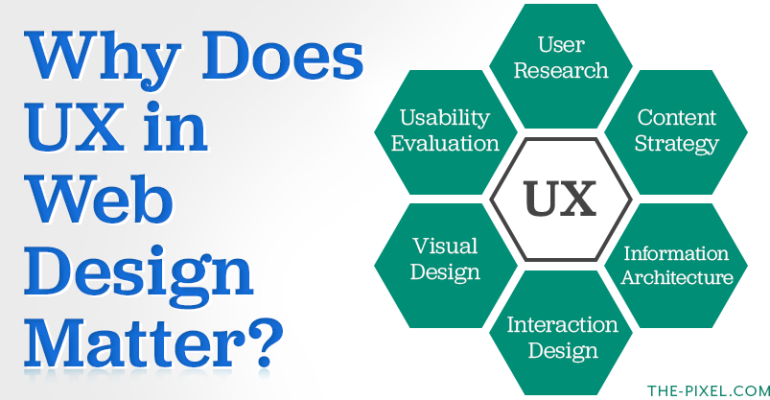
Why Does UX in Web Design Matter?
UX Will Make or Break Your Website
User experience (UX) is one of the most important factors in modern web design. A website can look great, but if users don’t understand what to do next, it won’t perform. Today, UX directly impacts SEO rankings, conversion rates, and overall business growth.
Modern UX focuses on clarity, speed, and guiding users toward action. It ensures your website is not only visually appealing but also functional, intuitive, and aligned with how users search and behave online.
Key elements of effective UX include:
- Making content easy to scan and understand
- Reducing friction between interest and action
- Aligning user intent with business goals
- Creating consistency across devices and screen sizes
- Supporting both first-time visitors and returning users
UX Is More Than Design
UX goes beyond layout and visuals. It’s about how users interact with your website and how easily they can move from one step to the next. A well-designed experience removes confusion and helps users feel confident in their decisions.
From a business perspective, UX connects your website to your sales process. It ensures your messaging, structure, and calls-to-action work together to guide users toward conversion.
Strong UX helps:
- Match users with the right content based on intent
- Answer key questions quickly and clearly
- Create predictable and intuitive navigation
- Simplify actions like contacting, purchasing, or signing up
- Build trust through clarity and consistency
Information Gathering: Understanding Real Behavior
A high-performing website starts with understanding how users actually think and behave. This phase focuses on gathering real insights instead of relying on assumptions.
By combining user feedback, sales insights, and analytics data, businesses can better understand what motivates users, where they hesitate, and what drives them to take action.
This stage typically includes:
- Interviews with sales teams to identify common objections and questions
- Reviewing customer conversations and feedback
- Identifying drop-off points in the current website or funnel
- Analyzing search behavior and keyword intent
- Segmenting users into clear personas based on goals and needs
Additional insights often come from:
- Reviewing analytics data such as bounce rate and time on page
- Understanding mobile vs desktop behavior differences
- Identifying missing content that prevents decision-making
Information Architecture: Structuring for Clarity
Information architecture is the foundation of a website’s usability and SEO performance. A well-structured site makes it easier for users to find information and for search engines to understand your content.
This step focuses on organizing content in a way that aligns with how users search, think, and navigate.
A strong structure includes:
- Grouping content based on user intent instead of internal terminology
- Prioritizing high-value pages and key conversion paths
- Supporting SEO through clear page hierarchy and internal linking
- Simplifying navigation to reduce confusion
- Eliminating unnecessary or redundant pages
Wireframes: Building the Foundation
Wireframes translate strategy into structure. Before visual design begins, wireframes define how content is laid out and how users move through each page.
This step ensures that every section has a purpose and supports the overall user journey.
Wireframes focus on:
- Establishing layout hierarchy and content flow
- Positioning key messaging and calls-to-action
- Structuring pages for conversion and usability
- Reducing clutter and unnecessary elements
They also help:
- Validate ideas early before development begins
- Align teams on page structure and priorities
- Prevent costly design or development changes later
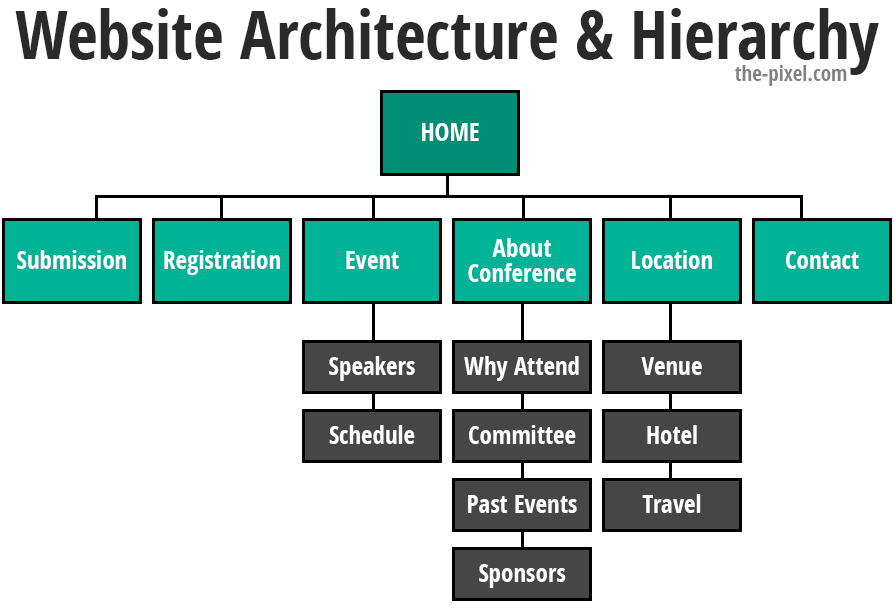
Website Architecture & Hierarchy
A well-structured page helps users quickly understand where they are and what to do next. Without clear hierarchy, users can feel overwhelmed or unsure how to proceed.
Strong website architecture improves usability, engagement, and conversions by guiding users through content in a logical way.
Effective hierarchy includes:
- Prioritizing the most important information first
- Using headings and spacing to create visual structure
- Breaking content into clear, digestible sections
- Highlighting calls-to-action without overwhelming users
- Designing for quick decisions rather than deep exploration
Design, Development, and Copy
This is where strategy becomes a real, functioning website. Design, development, and content must work together to deliver a fast, clear, and engaging experience.
Modern websites are no longer static. They are dynamic systems that evolve based on user behavior, performance data, and ongoing optimization.
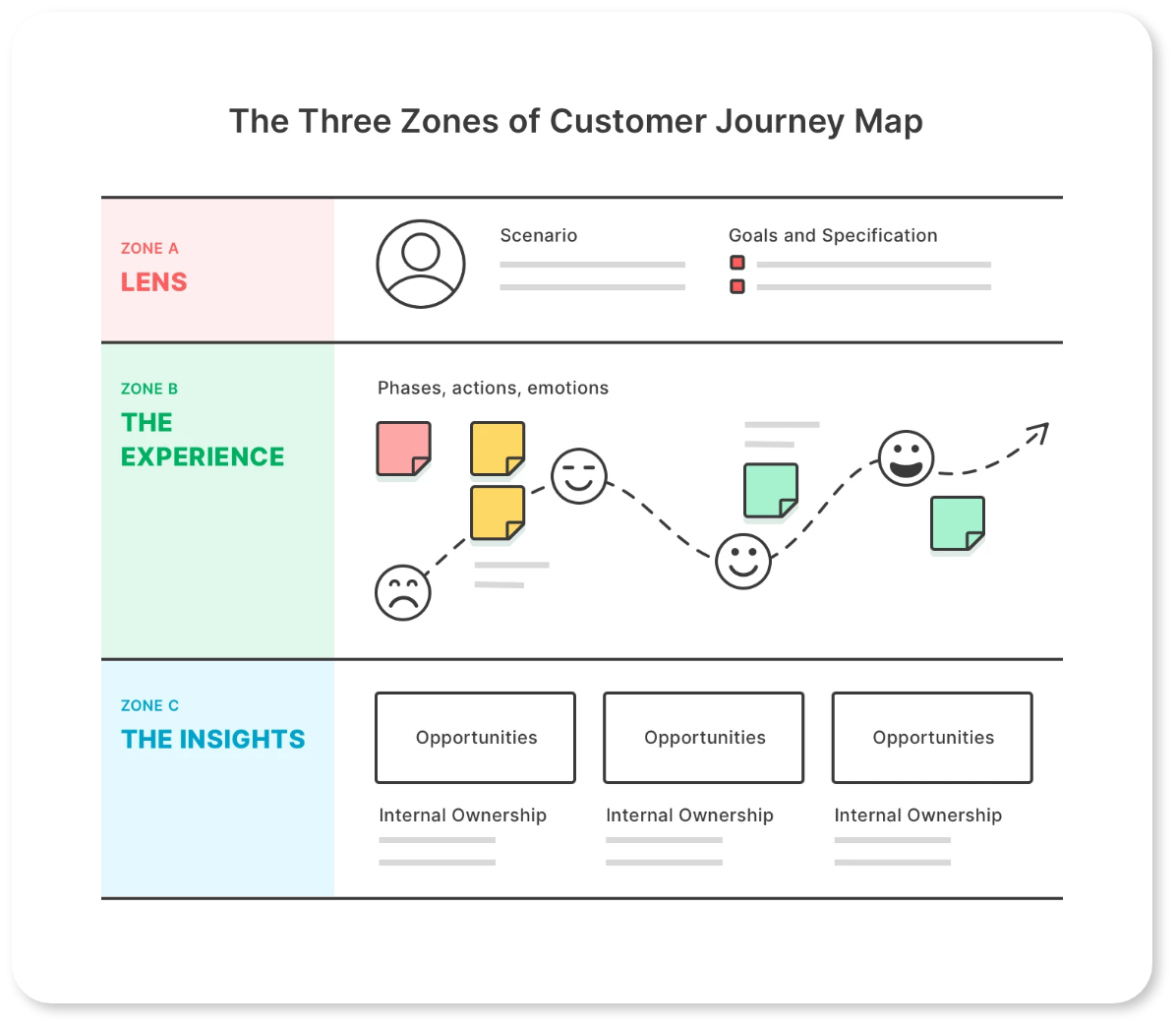
Zone A: Lens
This is the strategic layer that shapes everything before users ever see the website. It ensures decisions are based on data, not assumptions.
It includes:
- Defining user intent, behavior patterns, and decision triggers
- Aligning business goals with user needs
- Establishing SEO strategy and keyword targeting
- Setting up analytics and tracking frameworks
- Identifying opportunities for personalization and segmentation
Zone B: The Experience
This is the front-end experience users interact with. It brings together design, content, and performance to create a seamless journey.
It includes:
- Clean, structured UI design for readability and clarity
- Consistent design systems across pages and devices
- Fast-loading pages optimized for performance
- Clear messaging that reduces confusion and builds trust
- Accessible design that works for all users
Zone C: The Insights
This is where the website improves over time. Data and analytics provide visibility into what’s working and what needs to change.
It includes:
- Tracking user behavior with tools like Google Analytics 4
- Heatmaps and session recordings to see where users click, scroll, and drop off
- Monitoring conversion paths and identifying friction points
- Measuring engagement across pages and user segments
- Running A/B tests to validate improvements
- Continuously optimizing UX, content, and SEO
Modern UX: Data, Speed, and Continuous Improvement
UX is no longer a one-time project. It’s an ongoing process that evolves with user behavior, technology, and search trends.
Websites that perform well today are continuously monitored and improved based on real data.
Modern UX focuses on:
- Improving Core Web Vitals and page speed
- Designing mobile-first, responsive experiences
- Tracking user journeys and behavior patterns
- Updating content based on search trends and performance
- Iterating based on real insights instead of assumptions
UX Is the Foundation of Performance
UX connects every part of your website, from SEO to design to conversion. Without a strong foundation, even the best marketing efforts can fall short.
When UX is done right, your website becomes a clear, effective tool for growth.
A strong UX foundation leads to:
- Better search visibility and SEO performance
- Higher engagement and lower bounce rates
- Clearer user journeys and faster decision-making
- Increased conversions and lead generation
- A website that continues to improve over time
Hire ThePixel to build your next website!
Since our founding in 2008, we’ve created and launched many types of business websites. Over the last decade and we’ve learned a thing or two! That’s why we’re masters of our craft, let us help you build the website of your dreams – one that generates traffic, leads and conversions.
Are you ready to start? If yes, contact ThePixel and one of our representatives will guide you through the website phases and how the process works either by a Zoom Meeting or phone.