
Chiropractic UX Design & Patient Experience
UX Design / Patient Experience / Chiropractic
Chiropractic UX Design & Patient Experience
Designing a more intuitive experience that helps patients explore care information and confidently take the next step.
For Thrive Care's early-2026 website redesign, ThePixel focused on clear content, familiar interface patterns, and meaningful pathways between patient concerns and consultation opportunities.
- Patient-Centered UX Design
- Usability & Accessibility
- UX Research & Evaluation
01 / The Patient Experience Challenge
Patients arrive with different questions, concerns, and levels of familiarity.
Someone researching persistent pain may need reassurance and practical information before feeling ready to contact a clinic.
Other visitors may already know what they are looking for and want a quick route to the relevant care page or free consultation.
The UX challenge is to support both exploratory and action-ready visitors without making either group work harder than necessary.
- Make key care information easy to scan
- Use understandable labels rather than relying on clinical jargon
- Keep contact and consultation options recognizable
- Design for visitors using mobile and desktop devices
02 / Patient Needs & UX Principles
Build the experience around clarity, confidence, and usability.
Clarity
Use direct headings, readable content, and familiar labels to answer patient questions.
Consistency
Keep page layouts, navigation patterns, and calls to action predictable across the website.
Confidence
Make it easy to understand care information and identify a sensible next step without pressure.
03 / The UX Design Approach
Connect patient questions with useful information and intuitive interactions.
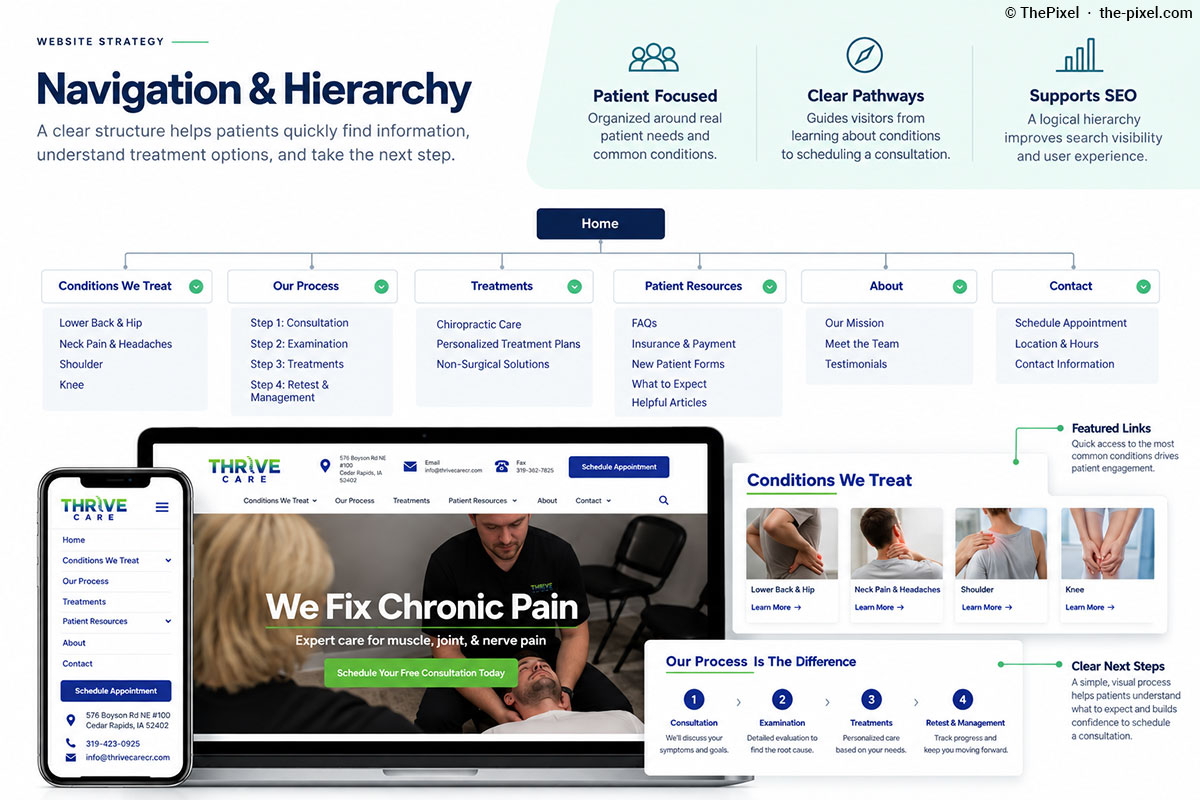
A patient-centered experience should connect symptoms and conditions, treatment information, and consultation options through recognizable page patterns.
The redesign provides a foundation for helping patients explore Thrive Care's services without needing to understand the website's internal structure.
- Present meaningful information in a logical reading order
- Use clear headings and descriptive links
- Keep next-step actions visible and consistent
- Support touch, keyboard, and responsive interactions
04 / UX Design Decisions
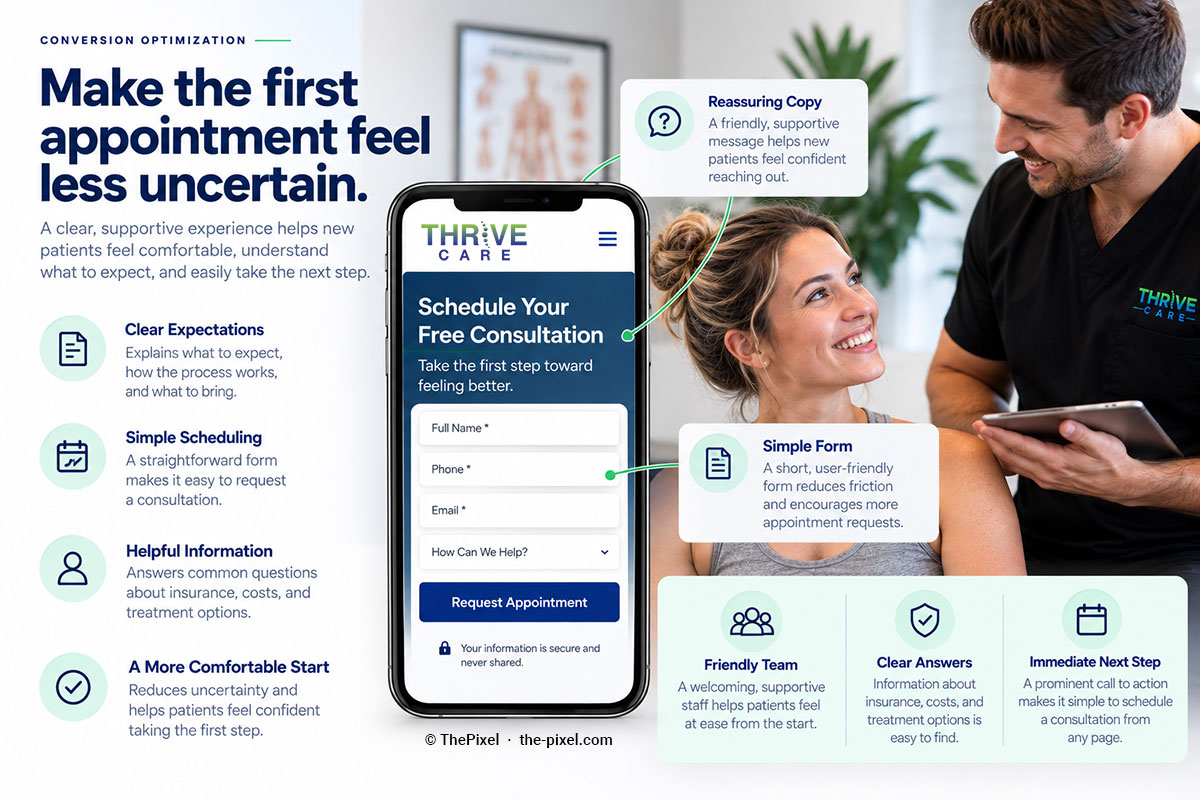
Three interface decisions that support patient confidence.
Readable Content
Break information into useful sections with clear headings and concise supporting copy.
Consistent Page Patterns
Use familiar navigation, page structures, and visual hierarchy to reduce the need to relearn the interface.
Visible Next Steps
Place consultation and contact actions where they are relevant to the patient's task.
05 / Patient Journey
Support the journey from first question to consultation.
Patient journeys are rarely identical. Some visitors start on the homepage; others arrive directly on a condition-related page from search.
Useful content and contextual navigation should help both audiences continue without unnecessary detours.
- Discover information related to a symptom or condition
- Understand available care information
- Move to related pages without losing context
- Recognize when and how to request a free consultation
06 / Accessible & Responsive UX
Design for readability, predictable behavior, and different devices.
Accessible design is a practical part of patient experience, not a separate feature.
Clear content structure, understandable interactions, and responsive layouts can help more visitors use the website comfortably. These are design priorities, not a claim of completed accessibility certification.
- Semantic headings and descriptive link text
- Readable text and clear visual hierarchy
- Keyboard-operable controls and visible focus states
- Responsive content and touch-friendly actions
- Meaningful image descriptions where appropriate
07 / Qualitative & Quantitative Research
Use complementary evidence to understand the patient experience.
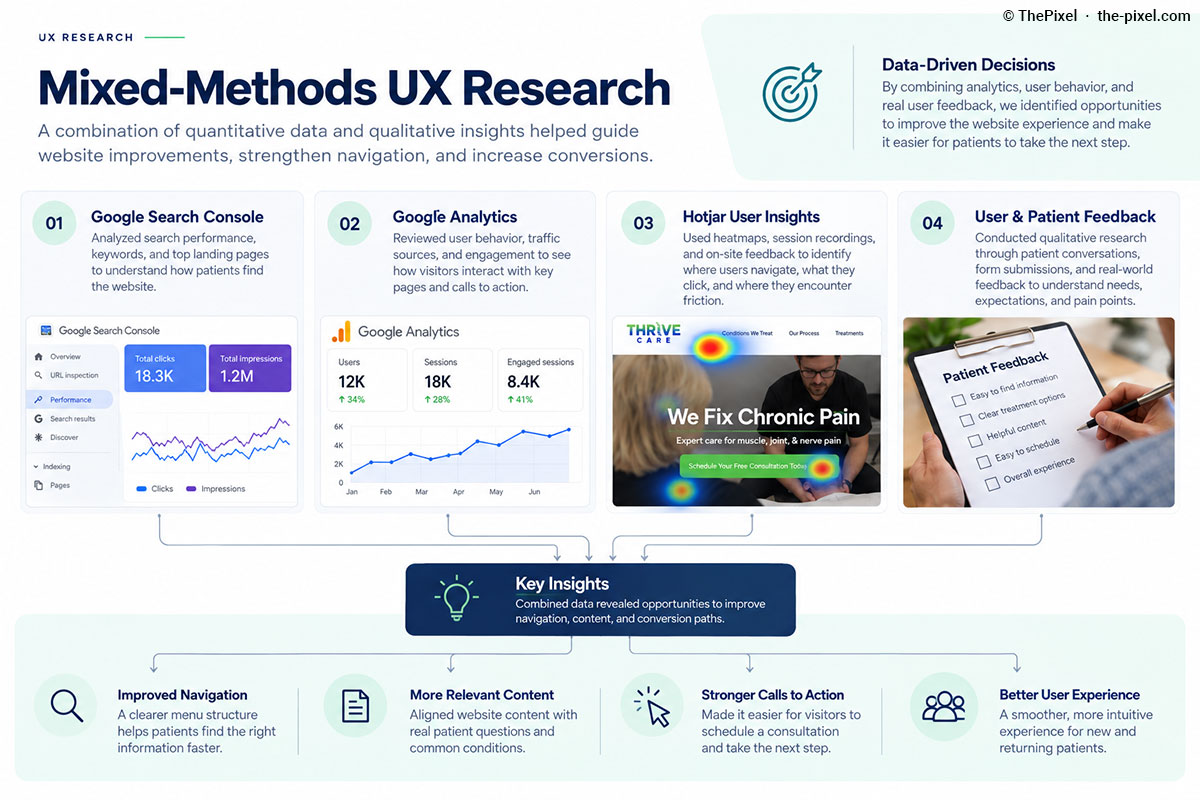
Quantitative data helps identify where visitors arrive, what they view, and which tracked actions they take. Qualitative research helps explain why an experience may feel confusing or difficult.
Thrive Care has historical Search Console information that can inform priorities, while Google Analytics and Hotjar can support ongoing evaluation.
08 / Consultation Experience
Make it easier to recognize and complete the next step.
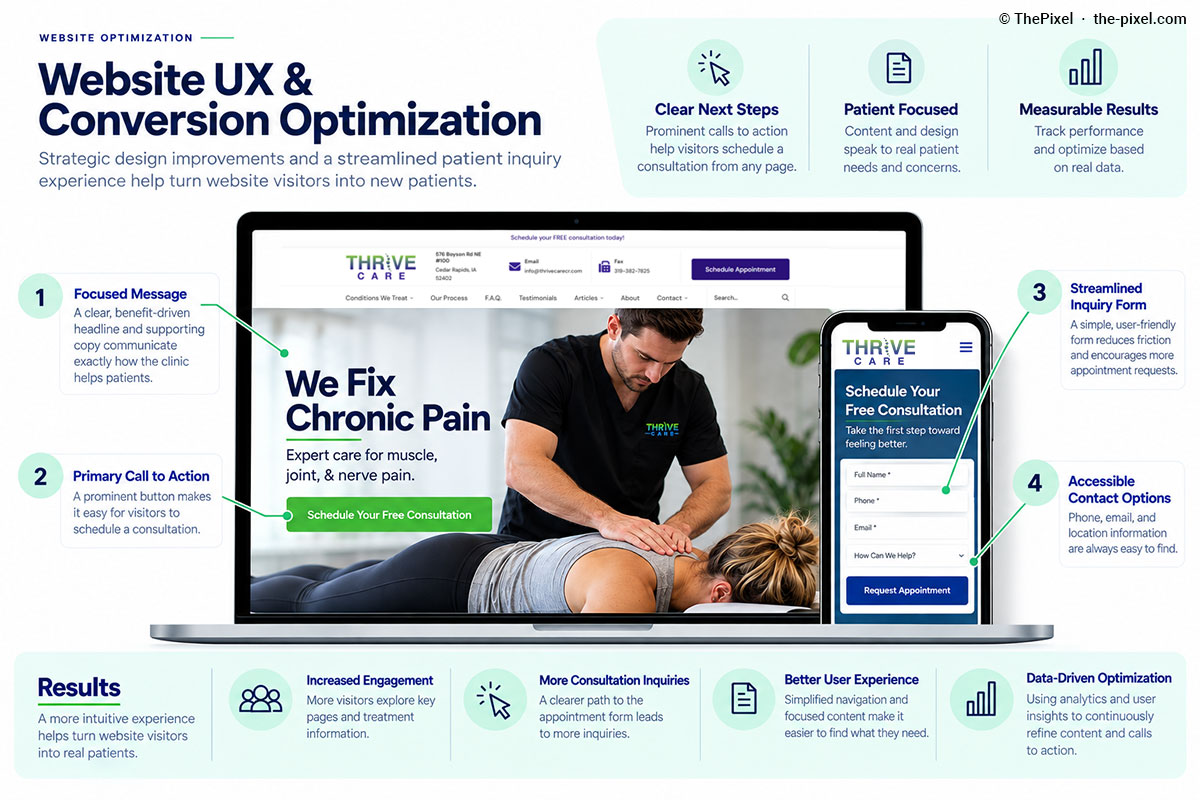
A useful consultation pathway starts before a patient reaches a form or contact page.
Relevant calls to action, clear expectations, and straightforward interactions can help patients understand what happens next.
- Use consistent wording for consultation actions
- Place CTAs near relevant patient information
- Avoid unnecessary steps between content and contact
- Evaluate form clarity and mobile usability
- Measure completed actions rather than assuming improvement
09 / Measurement & Ongoing UX Improvement
Evaluate the experience and refine it using evidence.
Google Search Console
Review search queries, clicks, impressions, and entry pages to understand organic discovery.
Google Analytics
Review page engagement, navigation behavior, and configured consultation events.
Hotjar & Feedback
Use behavior observations and qualitative findings to identify possible usability friction.
Featured Case Study / Chiropractic
Explore the patient experience behind Thrive Care's website redesign.
ThePixel redesigned Thrive Care's website to improve clarity, patient journeys, and the foundation for ongoing SEO and conversion improvements.
Explore how website strategy, UX design, WordPress development, and measurement fit together across the project.
- Patient-centered navigation and content hierarchy
- Chiropractic website UX and consultation pathways
- Search Console, Analytics, and Hotjar-informed improvements
Frequently Asked Questions
Questions about chiropractic UX design and patient experience.
Why does UX design matter for chiropractic websites?
Clear navigation, readable content, and predictable interactions help prospective patients find relevant information and understand how to contact a clinic.
What makes a chiropractic website patient-friendly?
Patient-friendly websites use understandable language, accessible page patterns, relevant care information, and clear consultation pathways.
How do qualitative and quantitative UX research work together?
Quantitative tools help show what visitors do, while qualitative observations and feedback provide context about confusion, expectations, and barriers.
Does improving UX guarantee more appointments?
No. UX improvements can reduce friction, but appointment and consultation outcomes should be evaluated using properly configured tracking and relevant business data.
Patient Experience / UX Design / Chiropractic
Is your website making the patient experience easier?
ThePixel helps healthcare and service businesses improve usability, accessibility, patient journeys, and opportunities for meaningful inquiries.
Serving Dubuque, Cedar Rapids, Iowa City, Davenport, and businesses throughout Iowa.